Method
Add Shopify to a client's WordPress site without a rebuild
Leave with a scoping and handover sheet that names who owns each account, task and check before you add a client's Shopify catalog.
Before you start An existing Shopify store and WordPress site, plus one scoping session with the client.
A client already has a WordPress site that does its job: pages their customers read, a theme they paid for, a team that knows how to publish. They also sell through a Shopify store. The request arrives as “can you put the shop on the website?” Often that does not call for a new site. It calls for a short list of pages that should show products, a clear record of who owns each account, and an acceptance test the client can recognize.
This guide gives an agency that sequence: scoping, staging, acceptance, handover and maintenance, with a sheet you can copy into your project file. It is published by Pagup, the publisher of Fy2Press. The method works whichever integration you choose; the Fy2Press details apply to version 1.0.0.
What is the client really asking for?
Start from the visible result, not from a plugin. List the pages that exist today and mark the ones to keep untouched. Then ask the client to describe three real journeys from start to finish, for example a reader who moves from a buying guide to a product, or a customer who browses a collection before checking out.
Those journeys separate three needs that often hide behind “a shop on WordPress”:
- Catalog: show products, collections and prices inside WordPress content.
- Payment: let visitors buy. With Fy2Press, cart and checkout continue on Shopify; WordPress never takes the payment.
- Quotes or account pricing: quote requests, customer-specific prices, subscriptions. Fy2Press 1.0.0 does not provide these, so say so during scoping rather than after launch.
Name the other limits early too. Fy2Press 1.0.0 connects one Shopify store, and multi-store agency tooling, multilingual catalog synchronization and automatic migration from another plugin are not part of it (see what FREE includes and what PRO adds). If the client needs one product button on one page, Shopify’s Buy Button may be enough, and Shopify also publishes an official plugin for WordPress. The Shopify and WordPress overview compares these approaches and explains how the roles are shared.
Who holds what before work starts?
Ownership is easier to settle in the first meeting than during an incident. The rule: the client owns every account and credential, and the agency receives the least access that lets it do the work.
| Asset | Held by | What the agency needs | At handover |
|---|---|---|---|
| Shopify store and subscription | The client, as store owner | Often nothing; otherwise a collaborator account with limited permissions | Access removed or reduced |
| Headless storefront and public Storefront API token | Created by the store owner in the Headless channel | The public token, entered in WordPress | Storefront name recorded; token kept out of documents |
| WordPress site, hosting, backups | The client | One named account per person, with the role the task needs | Agency accounts removed or downgraded |
| Pages, guides, images | The client’s editorial team | Content and image rights | Rights confirmed in writing |
| PRO licence, if needed | The client | Nothing beyond installation | Licence holder recorded |
Shopify reserves some actions, such as transferring ownership or managing Shopify Payments, for the store owner alone. Treat the Storefront token the same way. Ask the owner to install the Headless channel, create the storefront and enable only the permissions listed in the Shopify connection guide. Shopify’s Storefront API guide lists Apps and channels permissions as a prerequisite for this step. Two details from Shopify’s Headless channel documentation belong in your notes: Storefront API permissions are shared across all storefronts of the store, and deleting a storefront invalidates its tokens.
If the agency does need the Shopify admin, request a collaborator account rather than the owner’s login. The owner or an administrator approves it, it cannot receive the Administrator role, and it expires after 90 days without a login. On the WordPress side, roles define each user’s responsibilities, so give each person the role their task requires.
How do you prepare without touching the live site?
Work on a staging copy kept out of search engines. Check the basics first: as its page on WordPress.org states, Fy2Press needs an existing Shopify store with its subscription, WordPress 6.5 or later and PHP 8.1 or later; the hosting must also allow outbound HTTPS requests to Shopify (see the installation guide and the connection guide).
Three decisions come before the first synchronization:
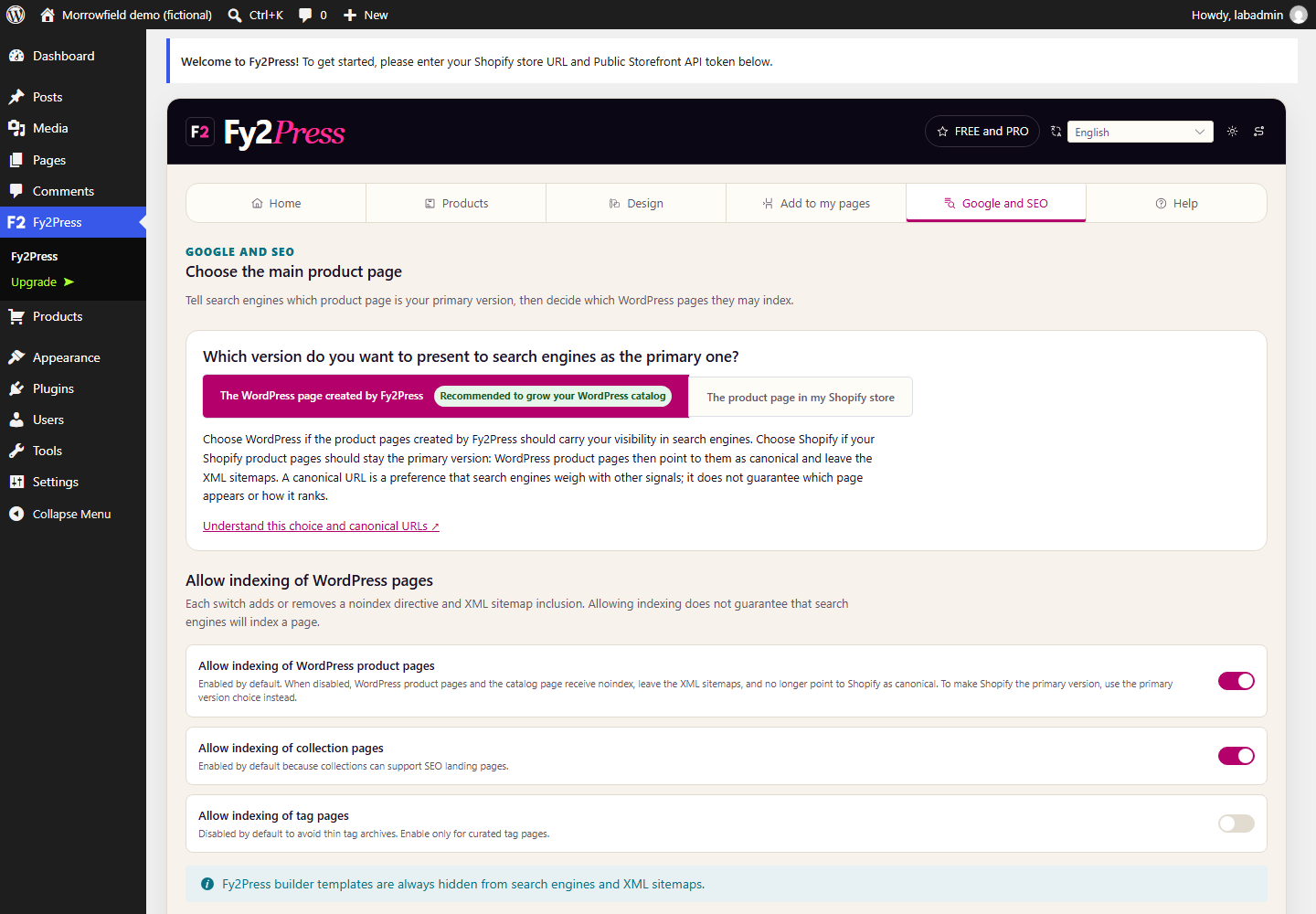
- Which product page is primary. New product pages are published directly, so choose WordPress or Shopify as the main version, and set indexing, in the Google and SEO tab. The Google and SEO guide lists the checks.
- Which editor builds the pages. FREE offers 17 Gutenberg blocks and 27 shortcodes. Native Elementor and WPBakery components belong to PRO. Test one representative page in the client’s actual theme and builder before you promise a result; see builder coverage.
- How settings reach production. Fy2Press 1.0.0 has no settings import or export. Record each connection, design and SEO choice in the sheet below so you can reapply it.
The scoping and handover sheet
Copy this sheet into your project file. It is an operational template, not a contract or a service commitment. Keep tokens and passwords out of it.
Workshop questions
- Why keep WordPress, and which pages must stay as they are?
- Which products and collections should appear, and on which pages?
- Who updates products in Shopify, and how often do prices or stock change?
- Which theme and page builder must the catalog work with?
- Who decides which catalog pages may be indexed?
- Does the request include quotes, several stores, several catalog languages or a migration? If so, record it as out of scope or as a separate decision.
Workstreams
| Workstream | Deliverable | Owner | Accepted when |
|---|---|---|---|
| Architecture | Pages to keep, pages to add, roles | To assign | Decision written and approved |
| Data | Representative products checked in Shopify | To assign | Fields match on sample products |
| Presentation | Catalog pages built in the chosen editor | To assign | Rendering observed on desktop and mobile |
| Content | Guides and product context written | To assign | Proofread; image rights confirmed |
| SEO | Primary page and indexing set | To assign | Rendered HTML checked |
| Testing | Journeys run on staging, then production | To assign | Results recorded, not assumed |
| Handover | Routine, contacts, limits | To assign | Client runs one synchronization alone |
To record at handover
Plugin version and edition, the Shopify storefront used, the person who runs synchronization, the person who applies updates, where to report a problem, and the operations the mandate does not cover.
What should acceptance check?
Acceptance means the client recognizes the result on public pages, not that a plugin shows as active. Use this list as a starting point:
- The connection test succeeds and the token appears on no public page.
- After synchronization, product counts match the summary.
- Three sample products match Shopify: title, variants, price, availability, image.
- Each journey from scoping works on a phone, without horizontal scrolling.
- The buying action reaches the right Shopify store. Stop before payment unless the client authorizes a test order.
- Pages marked “keep” are unchanged.
- Canonical and indexing on a product page match the decision.
- The client has reviewed the two cart cookies described in the security and data guide against their privacy notice.
- The client runs a synchronization without the agency.
Write down what was tested on staging, what was tested on production, and what was not tested at all.
What changes after handover?
The catalog in WordPress is a copy that someone must refresh. In FREE, synchronization is started manually and is not instant: saved records stay as they are until the next run, although some display components can request Shopify data in between (synchronization guide). A later synchronization can reapply Shopify titles and slugs, so product data should be edited in Shopify. PRO can schedule synchronization with an active licence; scheduled runs are not instant either and depend on WP-Cron.
Name an owner for each recurring task: updating WordPress, the theme and Fy2Press, then checking a sample page; removing a discontinued product from guides; renewing a PRO licence if one was bought. When something breaks, the troubleshooting guide helps decide whether the cause is Shopify, Fy2Press or the theme. Fy2Press support answers installation, connection, synchronization, display and SEO questions; decide whether the client contacts it directly or through the agency.
Then close the access you no longer need. The Morrowfield case study shows finished catalog pages, rendered by FREE with fictional products. A client who knows which accounts exist, who holds them and which routine keeps the catalog current can run the site without calling the agency for every price change.
Sources
- Shopify Dev: Getting started with the Storefront API
- Shopify Dev: Manage Headless channels
- Shopify Help Center: Collaborator accounts
- Shopify Help Center: Roles managed by Shopify
- WordPress.org: Roles and Capabilities
- WordPress.org: Fy2Press Catalog for Shopify 1.0.0
- Shopify Help Center: Buy Button
- Shopify Dev: Shopify Plugin for WordPress
Next step
Install the free plugin with the installation guide, or compare what FREE and PRO include.