
Treats and biscuits
Natural dog biscuits, blueberry, apple and peanut butter
CA$13.49
 Fy2Press
WordPress plugin for Shopify
Want WordPress flexibility without WooCommerce? Fy2Press brings your Shopify products into WordPress pages, collections and buying guides. Keep Shopify for orders and checkout, and use WordPress to build the site you want.
To connect: a WordPress site and a Shopify store with a separate subscription. You can prepare either one as part of your project.
Manual synchronization in FREE; scheduled updates in PRO.
Shopify store
Natural dog biscuits, blueberry, apple and peanut butter
CA$13.49
Fy2Press
Fy2PressWordPress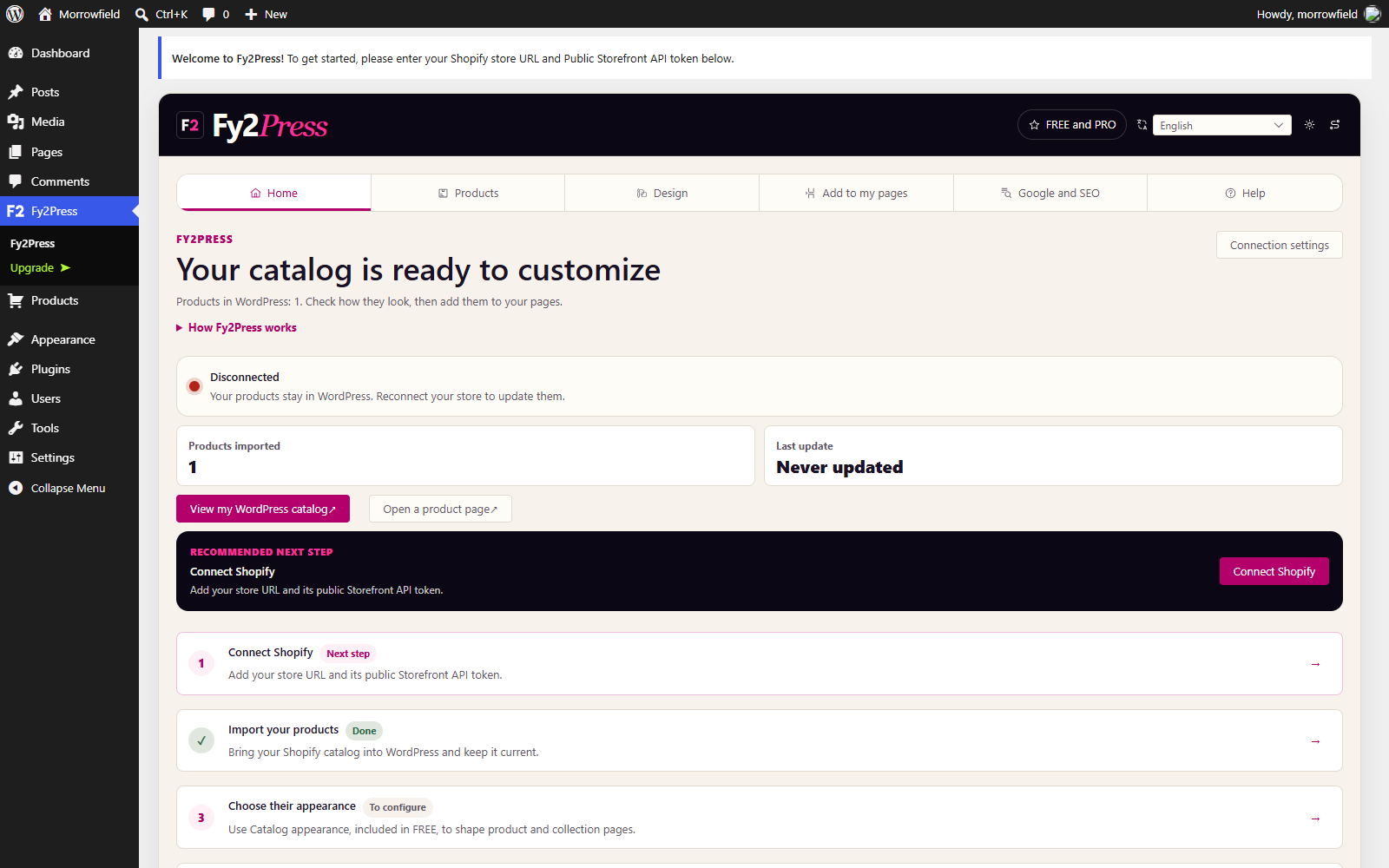
WordPress site
Treats and biscuits
Natural dog biscuits, blueberry, apple and peanut butter
CA$13.49
Buying returns to Shopify checkout
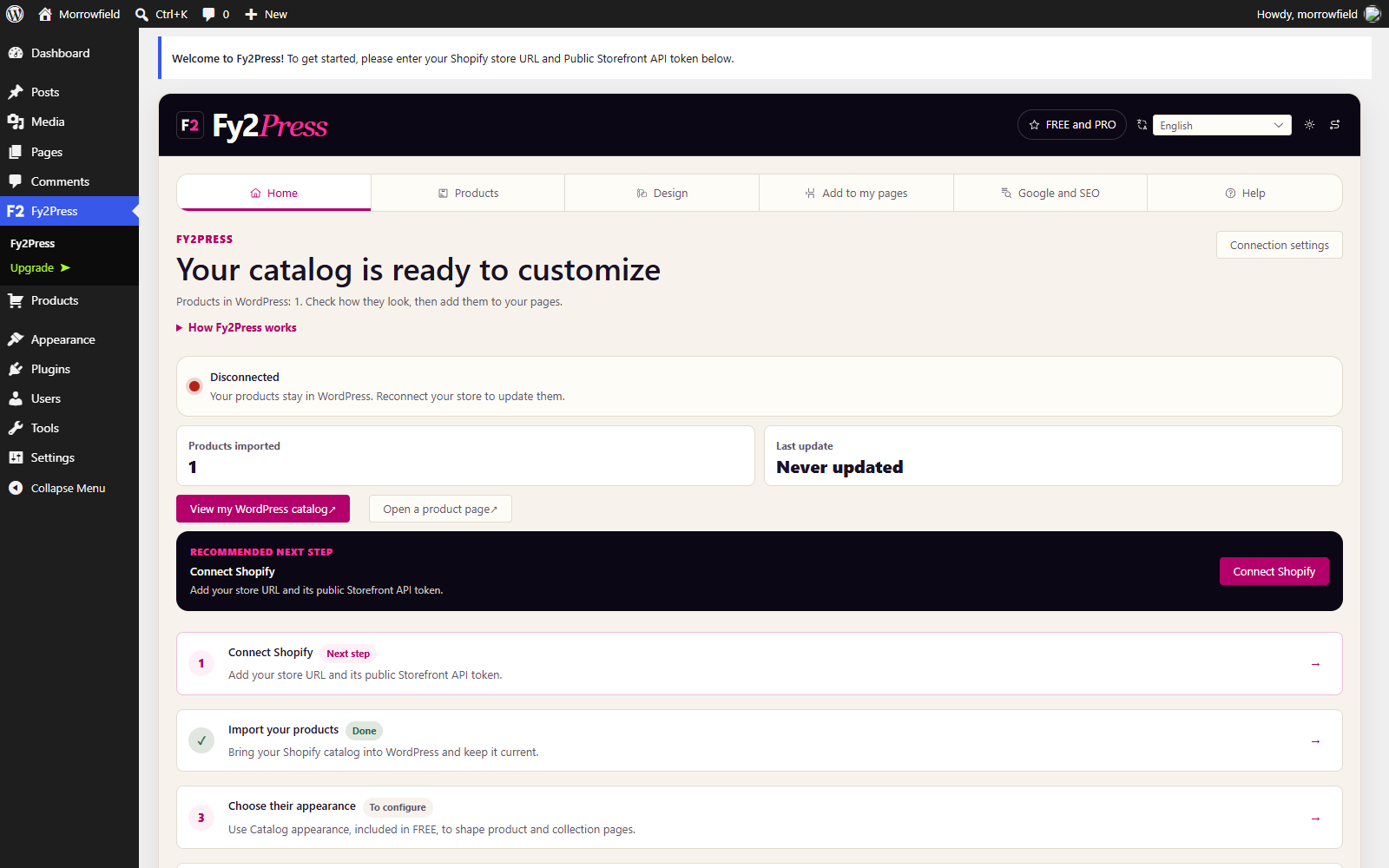
Real Fy2Press interface in a demonstration WordPress site. Example product; its image is a generated illustration.
 WordPress
Keep what works. Choose the path that fits your starting point.
You want WordPress themes and publishing tools, but moving your whole Shopify business feels like starting over.
Keep your Shopify store and build your product pages, collections and content in WordPress with Fy2Press.
Explore this approach : Use WordPress without switching to WooCommerce →You want a different way to run commerce without abandoning the pages and content you have already built.
Set up commerce in Shopify, then connect its catalog to your existing WordPress site with Fy2Press. Keep your editorial content and adapt the shopping pages.
Fy2Press does not migrate WooCommerce data or extensions. Plan the transfer of products, customers and orders separately, along with subscriptions, redirects and checkout testing.
Explore this approach : Replace WooCommerce. Keep your WordPress site. →Your product pages are not enough for the buying guides, comparisons and landing pages you want to publish.
Use WordPress to structure that content, connect it to products and work with your publishing tools, while Shopify handles sales.
Explore this approach : Keep Shopify. Give your content more room. →How it works
To connect: a WordPress site and a Shopify store with a separate subscription. You can prepare either one as part of your project.
Add your store connection in Fy2Press. The guide explains where to find the public Storefront API token.
Open guide: Connect your storeReview the catalog, then start the full synchronization manually. New product pages are published directly, so check their visibility.
Open guide: Synchronize your catalogBuild product pages and collections with the tools in your edition. Customers complete their purchase on Shopify.
Open guide: Create your pagesInside the plugin
Explore the connection, design and publishing screens in Fy2Press. These are real plugin screenshots from a demonstration site.
One product, two publishing systems
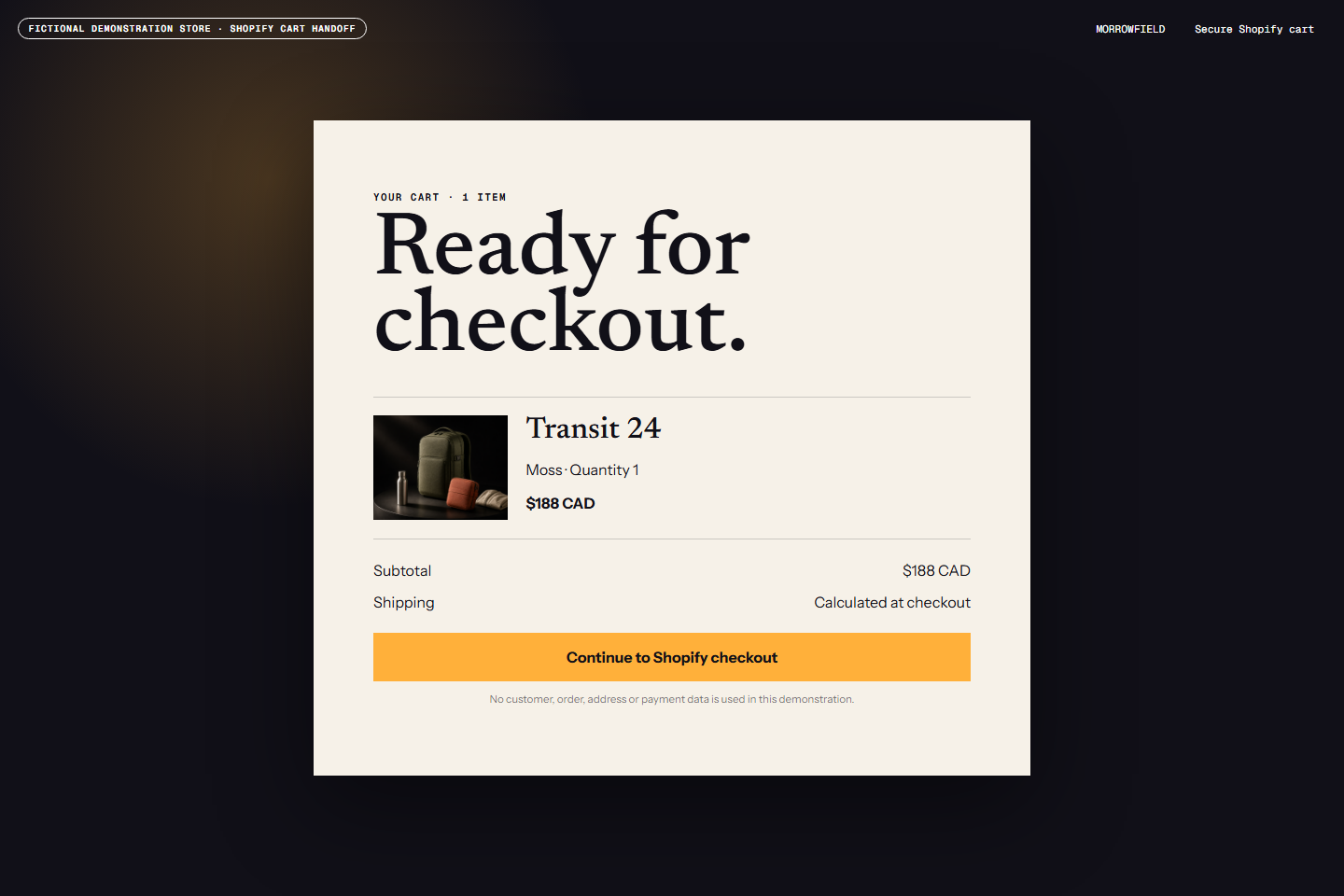
A fictional example: the same Morrowfield product in a Shopify store, a WordPress product page and a buying guide. These illustrations do not process purchases.

The same product can be published with WordPress templates and editorial context.
Enlarge screenshot: WordPress product page
Guides can compare products and answer search intent without becoming the checkout system.
Enlarge screenshot: WordPress buying guide
Products, prices and the cart remain visible in the source store.
Enlarge screenshot: Shopify collection
Variants, availability and buying begin with Shopify product data.
Enlarge screenshot: Shopify product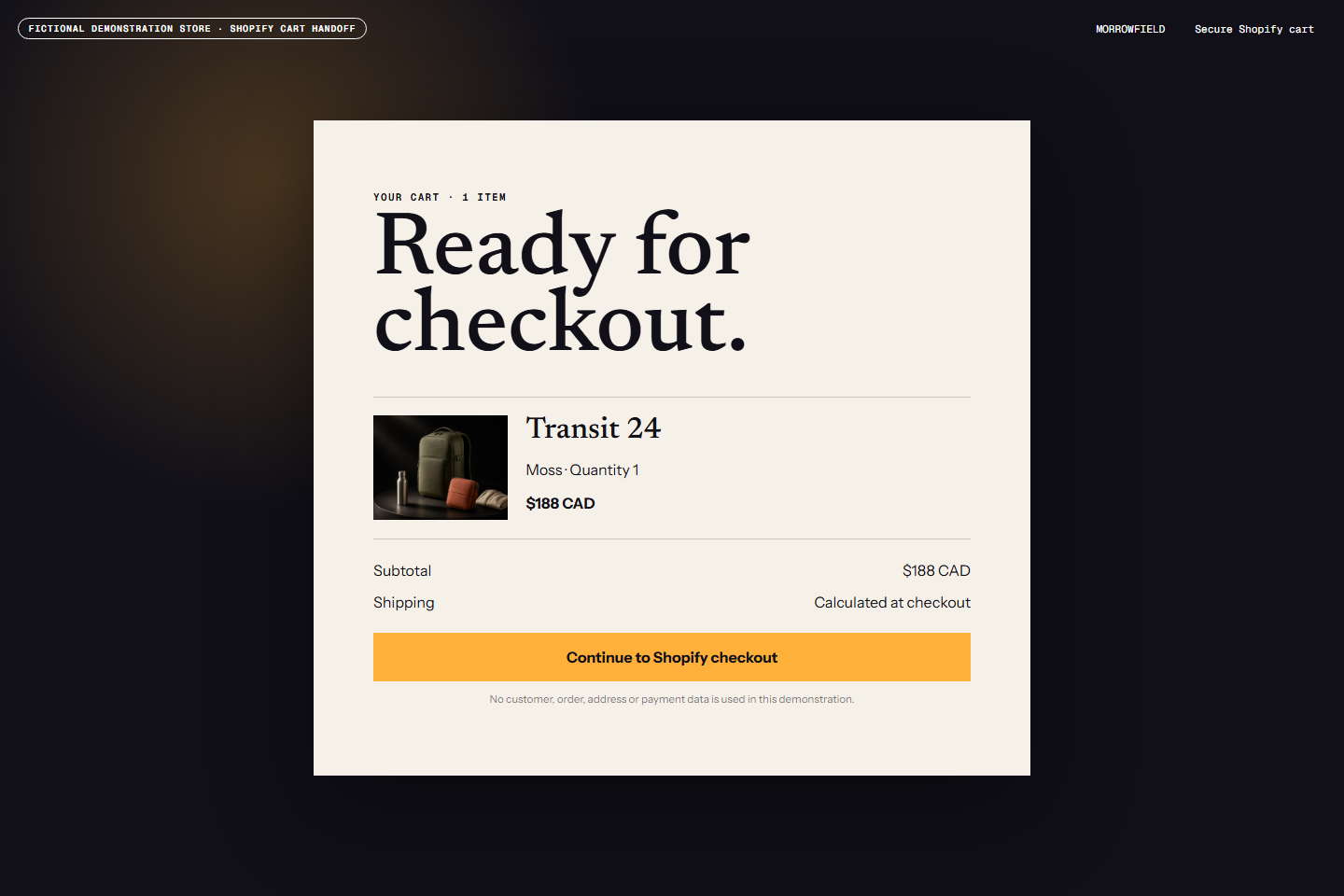
The buying action returns the customer to Shopify for the cart, transaction and checkout.
Enlarge screenshot: Shopify checkout handoffStraight answers
Yes. Shopify keeps the commercial product data, inventory, cart, orders and checkout. Fy2Press connects that catalog to WordPress for your pages. Customers complete their purchase through Shopify; this does not create a second, independent commerce system.
Open guide: Connect one Shopify store safelyNo. You need a Shopify store and a WordPress site. Fy2Press uses WordPress for publishing and Shopify for commerce, so WooCommerce is not required. Your Shopify subscription and the requirements of your WordPress site still apply.
Open guide: What FREE includes and what PRO addsIn FREE, you start synchronization manually. PRO adds hourly, twice-daily or daily scheduling through WP-Cron with an active licence. WordPress must execute scheduled events; this is not a real-time webhook service. Saved catalog data and data requested by display components follow different refresh paths. See the guide for synchronization and caching.
Open guide: Review and synchronize the catalogManual synchronization in FREE; scheduled updates in PRO. PRO: Schedule catalog synchronization, build with native Elementor or WPBakery components, and choose from multiple templates with advanced design and responsive controls.
Open guide: What FREE includes and what PRO addsYes, but the fields have different owners. A later synchronization can reapply the Shopify title and slug. Existing WordPress post content is preserved, but that does not promise it appears in every template. Check the field rules and the published result before editing your catalog.
Open guide: Publish with blocks and shortcodesNo. New product posts are published directly. Prepare their visibility and SEO settings before you synchronize, and try the process on a staging site when you change an existing catalog.
Open guide: Review and synchronize the catalogNo. Morrowfield is a fictional demonstration catalog. The illustrations explain how Shopify and WordPress can present the same product; they are not a customer result or a live shop. The plugin screenshots show a demonstration environment, and the buying labels in the illustration do not process a purchase.
Open guide: Publish with blocks and shortcodesInstall the free plugin from WordPress.org, then follow the connection guide: it explains the store subdomain and the public Storefront token Fy2Press needs. If a step does not match your setup, contact support. The troubleshooting guide can help you diagnose a problem.
Open guide: Install Fy2Press in WordPressYes. Fy2Press has been tested with a real Shopify store. The guides explain the setup and settings to adapt to your WordPress site and catalog.
Open guide: Connect one Shopify store safelyInstall Fy2Press for free, then follow the connection guide to prepare your first catalog pages.